Capture
Tap a global hotkey or touch button to drop a marker instantly while recording.
Capture timestamps while you stream or record, review them afterward, and export a list for YouTube chapters, highlights, or your editor.
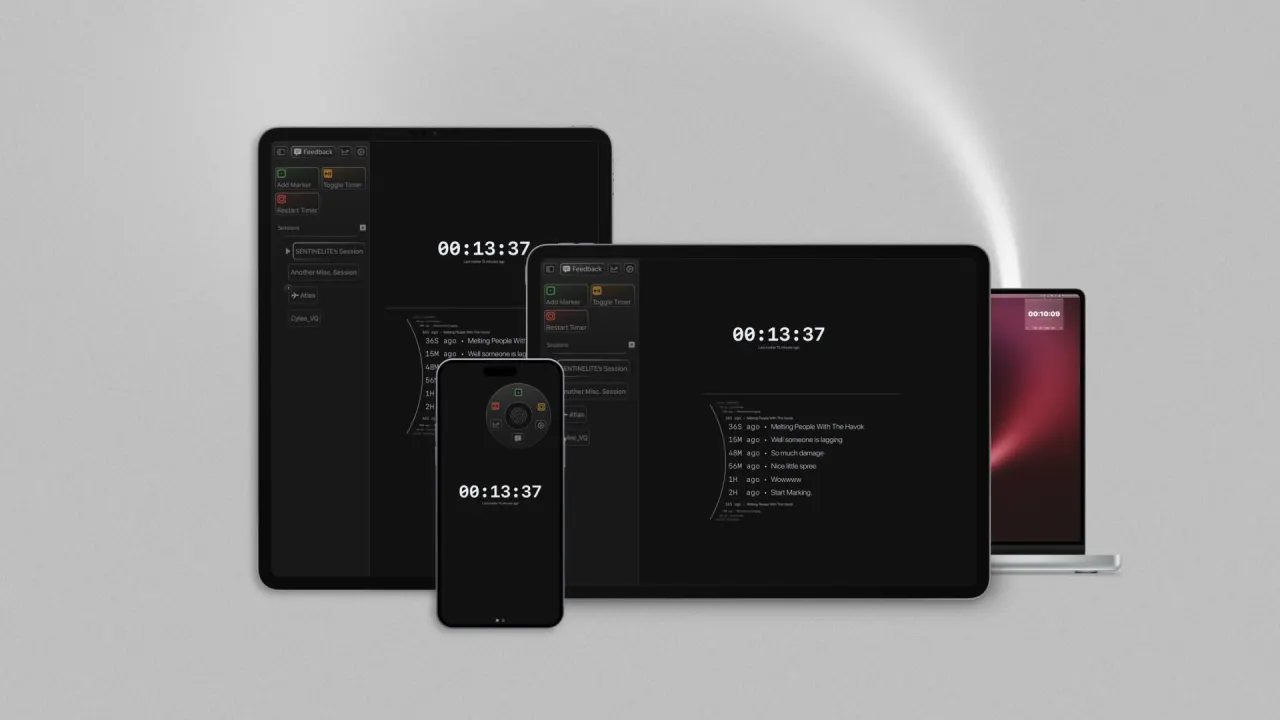
Tap a global hotkey or touch button to drop a marker instantly while recording.
Rename and adjust timestamps in a clean, distraction-free list after your session.
Export in any format.
Marker helps creators turn live moments into organized stream markers, YouTube chapters, podcast timecodes, and timestamp exports for editors, records, and post-production workflows.
Create clickable timestamps for SEO and retention.
Mark funny moments live for your editor to clip later.
Log topics and guest intros in real-time.
Pinpoint key concepts during long study sessions.
Native Twitch markers work, but manual chat commands break your flow and make editor handoff harder later. See how the Twitch workflow compares to Marker, including export options and post-stream organization.
Stop scrubbing through footage. Export in 20+ formats. Marker outputs timestamps in the format each tool expects, copy-paste ready.
00:42 Melting People With The Havok
02:18 Nice little spree
04:11 Get Me Out
07:26 Lifeline Flatlines
10:09 Miko Tabbed out
13:37 Atlas Fell Off
Automation and Apple surfaces
Marker is a native capture layer for the places creators already work: widgets, Shortcuts, App Intents, deep links, Stream Deck, Raycast, and the future API/CLI workflows that make timestamps fully scriptable.
Widgets
Live Activity
App Intents
Shortcuts
URL Schemes
Stream Deck
Raycast
Future API / CLI
Export in 20+ creator-ready formats, including YouTube chapters, Premiere XML, CSV, and more.
Capture exact moments with high-precision timestamps so your edits start at the right frame of thought.
Use Shortcuts, App Intents, and deep links to make Marker part of your capture stack.
Session, history, and stats widgets keep marking fast while the app stays out of the way.
Marker is a powerful tool for content creators to never miss a key moment. It allows you to mark important moments with precision and export them in various formats.
I'm glad you asked! Marker intuitively fits into your team's workflows. Have an editor that needs your Markers in that exact format? Want to accommodate async workflows? Throw the files into Dropbox or another cloud provider!
Have a team of editors? Want director’s notes? Marker makes it easy to share key moments, so everyone stays on the same page.
Check TestFlight for current beta availability and supported devices. There is no Android app available today. Join the interest list for future platform updates.
Yes, Marker is perfect for marking important moments during live streams or recordings, making it easy to recall key events in real-time.
Marker goes beyond Twitch’s basic markers by offering powerful features like customizable exports, automation, and integration with other tools. Whether you're marking moments live or organizing timestamps post-stream, Marker adapts to your needs, giving you control over every detail.
Your data is VERY important to us. We use Apple's iCloud so rest assured, your data is yours & yours ONLY!
Available now
Stop pausing your recording to take notes. One tap. One marker. Everything in its place.
Check TestFlight for current beta availability and supported devices.